Install
One package, no runtime dependencies. React and React DOM are optional peers - you only need them if you import revealed/react.
npm i revealedQuick start: React
Import Revealed from revealed/react and give it two image paths. Every other prop is optional; the defaults are the reference look. The component fills its parent and takes its aspect ratio from the front image once that image has decoded.
import { Revealed } from "revealed/react";

export default function Story() {
  return (
    <Revealed
      front="/demo/front.webp"
      back="/demo/back.webp"
      skeleton="/demo/back-skeleton.svg"
      edge="liquid"
      style={{ maxWidth: 817 }}
    />
  );
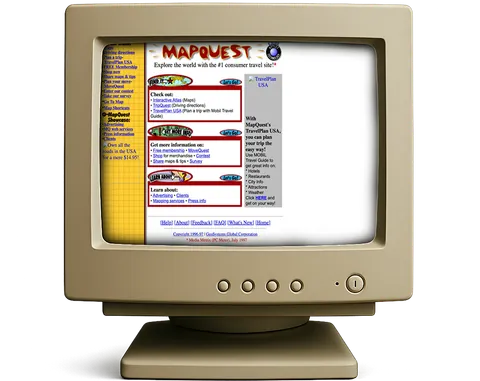
}
Quick start: vanilla
Without React, construct a RevealField against a host element. It injects its own canvas plus the two image plates behind it, and starts drawing as soon as the plates decode.
import { RevealField } from "revealed";

const host = document.querySelector("#stage") as HTMLElement;

const field = new RevealField(host, {
  front: "/demo/front.webp",
  back: "/demo/back.webp",
  skeleton: "/demo/back-skeleton.svg",
  edge: "liquid",
});

// Live: nothing is torn down, GL keeps running.
field.setOptions({ brush: { radius: 0.42, trail: 4 } });

// When the view goes away.
field.destroy();From a CDN
No build step? The classic script tag exposes a revealed global.
<div id="stage" style="max-width:817px"></div>

<script src="https://cdn.jsdelivr.net/npm/revealed"></script>
<script>
  var field = new revealed.RevealField(document.getElementById("stage"), {
    front: "/demo/front.webp",
    back: "/demo/back.webp",
    skeleton: "/demo/back-skeleton.svg",
    edge: "liquid"
  });
</script>
Or as an ES module, if you would rather skip the global.
<div id="stage" style="max-width:817px"></div>

<script type="module">
  import { RevealField } from "https://esm.sh/revealed";

  new RevealField(document.getElementById("stage"), {
    front: "/demo/front.webp",
    back: "/demo/back.webp"
  });
</script>
Using it in Next.js
The React entry ships its own "use client" directive, so you can import it straight into a server component tree. No dynamic(), no ssr: false wrapper. The server render is the host element and whatever you passed as fallback; the canvas and the two plates are injected on mount, and GL comes up after that.
That matters for your LCP. The plates are created by the library, so nothing of the image is in the HTML the server sends. If this field is the largest thing above the fold, put the front image in fallback as a plain <img> - then it is in the payload, the browser can start fetching it from the parser, and the canvas simply takes over on top of it.
<Revealed
  front="/demo/front.webp"
  back="/demo/back.webp"
  aspect={817 / 649}
  deferInit={false}
  // In the HTML the server sends, so it is a real LCP candidate.
  fallback={
    <img
      src="/demo/front.webp"
      alt="A 1997 travel site on a beige CRT."
      width={817}
      height={649}
      style={{ width: "100%", height: "auto" }}
    />
  }
/>
Serve the plates from public/ and pass their paths as strings. If you prefer static imports, hand over the .src:
import { Revealed } from "revealed/react";
import front from "./front.webp";
import back from "./back.webp";

export function Hero() {
  // A static import gives you { src, width, height } - pass the src through.
  return <Revealed front={front.src} back={back.src} aspect={front.width / front.height} />;
}The three images
front is the image on top - the one that gets eaten away. back is the one underneath, the one being revealed. Both are required, and the effect only reads as one object changing if they share framing: same crop, same subject position, same size.
skeleton is optional. It is line art of the back plate, ghosted onto the front and sketched on in a loop, then wiped away exactly where the back plate is already uncovered. Without it a visitor has no reason to think anything is hidden; with it the picture advertises itself.
Narrow-viewport swaps
Any image slot takes an object instead of a string. Below smallMaxWidth (default 640) the small source is used, so phones never download the full plate.
<Revealed
  front={{ src: "/demo/front.webp", small: "/demo/front-480.webp", smallMaxWidth: 640 }}
  back={{ src: "/demo/back.webp", small: "/demo/back-480.webp", smallMaxWidth: 640 }}
/>
Authoring a skeleton
The quickest route is to trace the back image, not to draw something new:
- Open the back plate in a vector editor and draw the four or five shapes that make it recognisable - the outline, the frame, the two or three main blocks. Stop there; a skeleton with every detail reads as noise at 18% opacity.
- Give the strokes a round cap and a weight of roughly 0.3% of the image width, then delete the traced image and export the SVG at the exact pixel dimensions of the plates.
- Leave the background transparent and keep the stroke colour white - the library tints it to
coloranyway, and transparent-background art is whatsource: "alpha"expects.
If your line art is instead black lines on a white background, set source: "luma". If it is already coloured artwork you want stamped as-is, set source: "image" and the tint is skipped.
<Revealed
  front="/demo/front.webp"
  back="/demo/back.webp"
  skeleton={{
    src: "/demo/back-skeleton.svg",
    color: "#18375d",
    opacity: 0.22,
    mode: "draw",
    period: 5.4,
    source: "alpha",
    reactive: true,
  }}
/>
Fallback and isSupported
WebGL can be missing, blocked, or backed by a software renderer that would turn this into a slideshow. In all of those cases the field refuses to start and shows the front image instead. There is nothing to wire up: the two <img> plates the library injects are the fallback, and they are sitting behind the canvas the whole time.
<Revealed
  front="/demo/front.webp"
  back="/demo/back.webp"
  fallback={<img src="/demo/front.webp" alt="A 1997 travel site on a beige CRT." />}
/>
To branch before you even render the component, call isSupported(). It is false on the server, false without hardware WebGL, and false under reduced motion. The hardware half is asked once and cached; the reduced-motion half is re-read on every call.
import { isSupported } from "revealed";

if (!isSupported()) {
  // Ship a plain <img> instead - the result is cached after the first call.
}What it does for you
The list below is behaviour you do not configure, opt into, or wire up. It is simply how a field behaves.
- Static plates underneath, always. The two images are real
<img>elements injected behind the canvas, so the front image is what a visitor sees with WebGL off, under reduced motion, while a context is lost, and before the first frame paints. They are created by the library, so they need JavaScript to exist at all - for a no-JS or server-rendered picture, pass one asfallback. - Pauses when it cannot be seen. An
IntersectionObserverparks the render loop off-screen andvisibilitychangeparks it in a hidden tab. The clock is clamped afterwards so time never jumps in one big step. - Resizes with its host. A
ResizeObserverkeeps the drawing buffer matched to the element, withdevicePixelRatiocapped bymaxDpr. - Refuses software renderers. SwiftShader and llvmpipe are detected and declined rather than rendered at four frames a second.
- Survives context loss. A lost WebGL context drops back to the static plates and restores automatically on
webglcontextrestored. - Idles. With no pointer at all the autopilot lays a couple of slow strokes so the effect breathes. It stops spawning the instant the visitor takes over - never cutting a stroke already in flight - and comes back
idle.yieldAftermilliseconds after they stop. - Cleans up completely.
destroy()frees textures, framebuffers, programs and buffers and detaches every observer, listener and animation frame.
Size, hit area and cost
Four options decide how big the field is, where it listens, and what it costs to run. None of them are needed to get a reveal working, and all four are worth knowing before you ship one.
aspect - reserving the box
The host element is laid out by your CSS: give it a width and the field fills it. Its height comes from the aspect ratio, which the library reads off the front image once that image decodes and writes onto the host as an aspect-ratio - but only if your own CSS has not already set one.
// You size the host; the field fills it and claims the ratio.
<Revealed
  front="/demo/front.webp"
  back="/demo/back.webp"
  aspect={817 / 649}
  style={{ maxWidth: 817, marginInline: "auto" }}
/>
Between first paint and the image decoding, the host has no height, so the page jumps when the plate arrives. Pass aspect yourself - you know the number, it is in the file - and the box is reserved from the first frame.
pointerTarget - a bigger place to aim
By default the pointer is tracked on the host, which means the reveal only happens over the image itself. Hand pointerTarget a larger element and the field listens there instead, while the coordinates stay relative to the plate: the stroke is already moving by the time the cursor arrives, and it keeps painting past the edges rather than stopping dead at them. This is the fix for a small plate in a wide section.
"use client";

import { useRef, useState } from "react";
import { Revealed } from "revealed/react";

export function GenerousHitArea() {
  const section = useRef<HTMLElement>(null);
  // null until the ref is attached, so the field starts on the host and moves.
  const [target, setTarget] = useState<HTMLElement | null>(null);

  return (
    <section
      ref={(el) => {
        section.current = el;
        setTarget(el);
      }}
      style={{ padding: "6rem 2rem" }}
    >
      <Revealed
        front="/demo/front.webp"
        back="/demo/back.webp"
        pointerTarget={target}
        style={{ maxWidth: 480, margin: "0 auto" }}
      />
    </section>
  );
}
maxDpr and deferInit - what it costs
The mask and the display shader both run once per pixel of the drawing buffer, and that buffer is the element’s CSS size times min(devicePixelRatio, maxDpr). The default cap of 1.5 is the point where a retina plate still looks crisp and a full-width hero still holds its frame rate. Raise it to 2 or 3 for a small field; drop it to 1 if a big one stutters on a laptop.
deferInit decides when that cost is paid. It is true by default, which pushes shader compilation into requestIdleCallbackso it never competes with hydration or the page’s own entrance. Set it false for the one field that is the first thing a visitor sees, so it is live the moment they look at it.
Recipes
The pointer is only the default driver. Anything that can produce a number between 0 and 1 can drive the mask instead.
Scroll-driven reveal
progressis a floor on the reveal, not a second brush: it is applied where the two plates are cut apart, so it never overwrites what the pointer painted and the pointer can always run ahead of it. It goes through the same carve a stroke does, so a scroll-driven reveal wears the identical wet edge - a dissolve that opens roughly linearly by area, rather than a wipe. Feed it a section’s own scroll range and the image uncovers itself as the page moves.
"use client";

import { useEffect, useRef, useState } from "react";
import { Revealed } from "revealed/react";

export function ScrollReveal() {
  const wrap = useRef<HTMLDivElement>(null);
  const [progress, setProgress] = useState(0);

  useEffect(() => {
    const onScroll = () => {
      const el = wrap.current;
      if (!el) return;
      const r = el.getBoundingClientRect();
      const span = r.height - window.innerHeight;
      setProgress(Math.min(1, Math.max(0, -r.top / (span || 1))));
    };

    onScroll();
    window.addEventListener("scroll", onScroll, { passive: true });
    return () => window.removeEventListener("scroll", onScroll);
  }, []);

  return (
    <div ref={wrap} style={{ height: "220vh" }}>
      <div style={{ position: "sticky", top: 0 }}>
        <Revealed
          front="/demo/front.webp"
          back="/demo/back.webp"
          skeleton="/demo/back-skeleton.svg"
          progress={progress}
          idle={false}
        />
      </div>
    </div>
  );
}Make the reveal permanent
By default a stroke heals: brush.trail seconds after you paint it, the front plate has closed back over. Set brush.persist and it never does - whatever the visitor uncovers stays uncovered until you call clear(). This is the setting for a before/after comparison, a scratch card, or anything where the point is that the visitor finished the job themselves.
"use client";

import { useRef } from "react";
import { Revealed, type RevealHandle } from "revealed/react";

export function PermanentReveal() {
  const field = useRef<RevealHandle>(null);

  return (
    <>
      <Revealed
        ref={field}
        front="/demo/front.webp"
        back="/demo/back.webp"
        skeleton="/demo/back-skeleton.svg"
        brush={{ radius: 0.26, persist: true }}
        idle={false}
      />
      <button type="button" onClick={() => field.current?.clear()}>
        Reset
      </button>
    </>
  );
}// persist is the zero end of a dial: heal 0.35 mask units a second.
<Revealed
front="/demo/front.webp"
back="/demo/back.webp"
brush={{ radius: 0.26, healRate: 0.35 }}
/>One more thing the wave changes here: wave.spread is forced to 0 under persist. It is the only term that grows the reveal with no stroke behind it, and with nothing healing, a creep of any size would eventually reach every texel on the plate. The momentum itself still works, and still runs out on its own - what a stroke leaves behind is the union of where it painted and where it threw the reveal, and that is final until clear().
A stroke that keeps going
brush.wave is on by default. The mask carries a velocity field in its two spare channels: a stroke injects into it - forward along the stroke, and rotating in opposite directions on either side - and every frame the reveal is dragged along that field while the field itself is damped. So a stroke does not just paint where the pointer went, it throws the reveal, and the front keeps travelling and tearing itself into islands for about a second after the pointer stops.
Flick the cursor once across the tree below and let go. The leaves keep coming off after you have stopped moving. Then turn the wave off and do it again: that is the same library without the momentum.
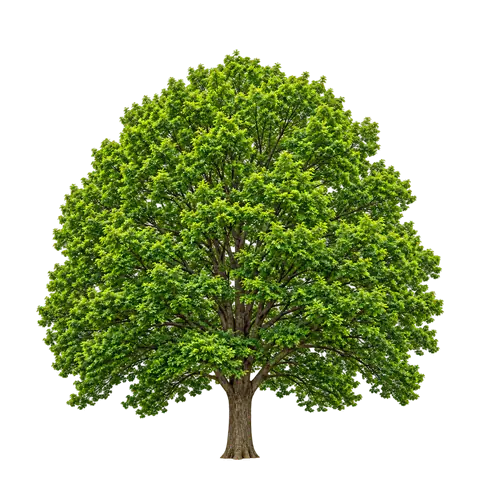
import { Revealed } from "revealed/react";

export function LeavesComingOff() {
  return (
    <Revealed
      front="/demo/tree-front.webp"
      back="/demo/tree-back.webp"
      aspect={1}
      // The wave is already on. This throws it further and lets it curl more.
      brush={{ radius: 0.22, wave: { advect: 3, swirl: 0.7, damping: 0.35 } }}
    />
  );
}Coming from a version of the library before the wave and wanting the quieter boundary back? There are two sizes of undo:
// The momentum alone, gone. Bubbles and the new carve stay.
<Revealed front="/a.webp" back="/b.webp" brush={{ wave: false }} />

// Or the whole pre-wave look in one word: the old carve and refraction,
// no bubbles, no faceting, no wave.
<Revealed front="/a.webp" back="/b.webp" edge="plain" />
edge="plain" is the whole pre-wave library in one word - it restores carve to 0.62 and refraction to 0.012, sets bubble to zero, and turns the momentum off with them. Anything narrower is a normal override: brush={{ wave: false }} kills only the momentum and keeps the bubbles; edge={{ bubble: 0 }} kills only the bubbles and keeps the momentum.
A torch, not a paint stroke
brush.spotlight is the far end of the number persist is the near end of. Where persist is healRate: 0 and nothing ever heals, spotlight is healRate: Infinity and everything heals every frame - so the reveal is only ever exactly where the pointer is right now, and closes immediately behind it.
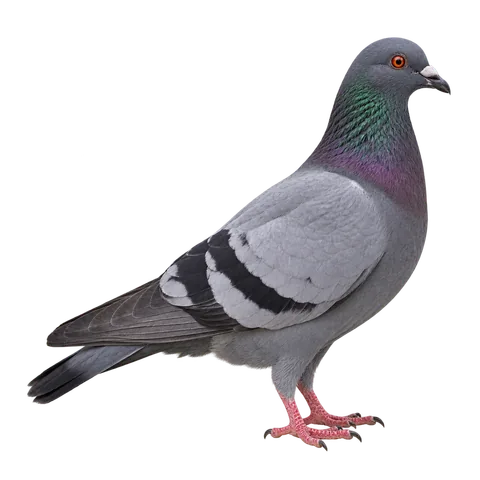
import { Revealed } from "revealed/react";

export function Torch() {
  return (
    <Revealed
      front="/demo/pigeon-front.webp"
      back="/demo/pigeon-back.webp"
      aspect={1}
      brush={{ spotlight: true, radius: 0.18 }}
    />
  );
}- The wave is forced off. Momentum that outlives the frame is a trail, which is the one thing this mode is defined by not having. An explicit
brush.wavecannot bring it back. - The light is not a plain circle.
carve,detailandbubbleall still apply, so it has the same torn, holed rim a stroke does. Useedge="clean"if you do want a plain disc. - A still pointer keeps the light on.
holdTimeoutis ignored here: with no trail for a held mark to fade into, “where the pointer is” is still a place. The light goes out when the pointer leaves, not when it stops. - The autopilot still runs, and is still on by default - it moves a virtual cursor and the light follows it, which is exactly what you want for a hero that demonstrates itself. That is the opposite of the
persistcase, whereidledefaults off because it would uncover the whole picture.
A counter from onReveal
onReveal fires about ten times a second with the fraction of the measure rectangle currently uncovered. An inline arrow function is fine here - callbacks are held in refs, so a new function identity never re-creates the field.
"use client";

import { useState } from "react";
import { Revealed } from "revealed/react";

export function YearCounter() {
  const [fraction, setFraction] = useState(0);

  return (
    <figure>
      <Revealed
        front="/demo/front.webp"
        back="/demo/back.webp"
        skeleton="/demo/back-skeleton.svg"
        onReveal={setFraction}
      />
      <figcaption>the web in {1997 + Math.round(fraction * 28)}</figcaption>
    </figure>
  );
}Narrow the measured area with measure when the edges of the plate are not part of the story:
<Revealed
  front="/demo/front.webp"
  back="/demo/back.webp"
  measure={{ x0: 0.05, y0: 0.05, x1: 0.95, y1: 0.72 }}
  onReveal={(fraction) => console.log(fraction)}
/>
Controlled reveal on click
The ref gives you the same verbs the field uses internally: paint, clear, revealAll, play, pause, and field for the instance itself. revealAll() floods the mask like a very large stroke - so it heals away over brush.trail unless you also turn brush.persist on, which is what makes the two buttons a real toggle rather than a flash.
"use client";

import { useRef, useState } from "react";
import { Revealed, type RevealHandle } from "revealed/react";

export function Compare() {
  const field = useRef<RevealHandle>(null);
  const [open, setOpen] = useState(false);

  return (
    <>
      <Revealed
        ref={field}
        front="/demo/front.webp"
        back="/demo/back.webp"
        skeleton="/demo/back-skeleton.svg"
        // Without persist, revealAll() heals away again over brush.trail.
        brush={{ persist: true }}
        idle={false}
      />
      <button
        type="button"
        onClick={() => {
          if (open) field.current?.clear();
          else field.current?.revealAll();
          setOpen(!open);
        }}
      >
        {open ? "Cover it back up" : "Reveal everything"}
      </button>
    </>
  );
}Theming the skeleton from CSS variables
The skeleton is tinted by a CSS colour string, so read your token at mount instead of hardcoding a hex. Because setOptions is live, updating the state re-tints the line art on the next frame without rebuilding anything.
"use client";

import { useEffect, useState } from "react";
import { Revealed } from "revealed/react";

export function ThemedSkeleton() {
  const [color, setColor] = useState("#18375d");

  useEffect(() => {
    const read = () => {
      const value = getComputedStyle(document.documentElement)
        .getPropertyValue("--accent")
        .trim();
      if (value) setColor(value);
    };

    read();
    const mq = window.matchMedia("(prefers-color-scheme: dark)");
    mq.addEventListener("change", read);
    return () => mq.removeEventListener("change", read);
  }, []);

  return (
    <Revealed
      front="/demo/front.webp"
      back="/demo/back.webp"
      skeleton={{ src: "/demo/back-skeleton.svg", color, opacity: 0.24 }}
    />
  );
}
Painting it yourself
paint(x, y, strength?) takes coordinates in 0..1 of the plate and lays exactly the stroke a pointer would. It is how you script an intro, mirror one field onto another, or drive the reveal from audio.
"use client";

import { useEffect, useRef } from "react";
import { Revealed, type RevealHandle } from "revealed/react";

export function SignatureReveal() {
  const field = useRef<RevealHandle>(null);

  useEffect(() => {
    let raf = 0;
    const start = performance.now();

    const tick = (now: number) => {
      const t = (now - start) / 1000;
      // A lazy horizontal figure eight across the plate.
      field.current?.paint(0.5 + 0.34 * Math.sin(t), 0.5 + 0.2 * Math.sin(t * 2), 0.8);
      raf = requestAnimationFrame(tick);
    };

    raf = requestAnimationFrame(tick);
    return () => cancelAnimationFrame(raf);
  }, []);

  return (
    <Revealed
      ref={field}
      front="/demo/front.webp"
      back="/demo/back.webp"
      idle={false}
    />
  );
}
Troubleshooting
The effect degrades quietly by design - it would rather show a still image than a broken one - so the failures all look like “nothing happened”. Here is how to tell them apart. Every one of them is visible from onError, onReady and field.supported:
"use client";

import { useRef } from "react";
import { useRevealed } from "revealed/react";

export function Diagnose() {
  const host = useRef<HTMLDivElement>(null);
  const { supported, ready, progress } = useRevealed(host, {
    front: "/demo/front.webp",
    back: "/demo/back.webp",
    // Fires for every degradation except reduced motion, which is a choice.
    onError: (err) => console.warn("[revealed]", err.message),
  });

  return (
    <>
      <div ref={host} style={{ maxWidth: 817 }} />
      <p>
        supported {String(supported)} · ready {String(ready)} ·{" "}
        {Math.round(progress * 100)}% uncovered
      </p>
    </>
  );
}
The reveal renders nothing at all
An empty box almost always means the host has no height. The field fills its parent, and it only knows how tall to be once the front image has decoded and it can write an aspect-ratio - and it will not write one if your CSS already set aspect-ratio, or if a parent flex or grid rule is collapsing the box to zero. Give the host a width, pass aspect so the box exists from the first frame, and check that the two image URLs actually resolve: a 404 on front means no ratio and no plate, and onError will say so.
The image reveal never runs on my machine
The effect is running only when field.supported is true. It is false, and the front plate is all you get, in exactly these cases:
prefers-reduced-motion: reduceis set - including by “reduce motion” in the OS, which people forget is on. This is the most common one by a distance, and it does not fireonError.- WebGL is backed by SwiftShader or llvmpipe. A headless browser, a VM, a machine with the GPU blocklisted -
chrome://gpuwill tell you. The library declines these on purpose rather than render at four frames a second. - WebGL is unavailable or blocked outright, or the context could not be created because too many are already live on the page. Both fire
onError.
If supported is true and it still looks static, check idle: the autopilot is the only thing that moves without a pointer, and it defaults off when brush.persist is on. And on a touch device there is no hover, so the reveal starts on finger-down, not on approach.
The effect stops when I switch tabs
That is deliberate, and so is the pause when the field scrolls out of view. A hidden tab gets no frames, and neither does an off-screen field. When you come back, the clock is clamped rather than caught up, so the trail does not get paid out in one jump - a stroke you left mid-fade resumes fading instead of vanishing. If it stays frozen after you return, you have running={false} set somewhere, or a pause() without a matching play().
My skeleton layer is invisible
Four things make a skeleton disappear, in order of likelihood:
- It is reactive and nothing is happening.
reactiveis on by default, which drops the ghost to about a ninth ofopacityon a still field and lifts it to full as a stroke passes. That is the intended behaviour on a live page and a disaster in a screenshot. Setreactive: falseto hold it steady. - The wrong
source. The default,"alpha", expects line art on a transparent background. Black lines on a white background are all opaque, so alpha coverage is uniform and nothing reads: usesource: "luma". For artwork you want stamped as it is, usesource: "image", which skips the tint entirely. - The tint is the ground.
colordefaults to a dark navy, which is invisible on a dark plate. It takes any CSS colour - see the themed-skeleton recipe. - 18% is genuinely subtle. That is the point on a photograph; on a busy plate, raise
opacity.
The reveal looks soft or blurry
The drawing buffer is the element’s CSS size times min(devicePixelRatio, maxDpr), and maxDpr is 1.5. On a 2x or 3x display a large field is therefore being upscaled a little. Raise maxDpr to 2 and see if it is worth the fragment cost. If the edge itself is soft rather than the picture, that is edge.feather - drop it towards 0.004 for a knife edge - or edge.refraction, which bends the pixels either side of the rim on purpose and can be set to 0.
If the picture is soft everywhere, the plates themselves are probably smaller than the box you are displaying them in. Export them at the size you actually show, and use the small variant for phones rather than shipping one file for both.
It goes back to a still image after a while
That is a lost WebGL context - a GPU driver reset, a laptop switching graphics, or simply too many live contexts on one page. The field handles it: it drops to the static plates and brings itself back on webglcontextrestored. If it happens repeatedly, count the fields on the page. Browsers cap the number of simultaneous WebGL contexts at around sixteen, and the oldest one is killed to make room for the newest.
The reveal keeps moving after I stop
That is brush.wave, and it is on by default. A stroke throws the reveal forward and it keeps travelling for about a second - see a stroke that keeps going. Two neighbours of it surprise people the same way:
- Holes in the middle of the uncovered area. That is
edge.bubble, also on by default - it is what leaves islands of the front plate standing inside the reveal.edge={{ bubble: 0 }}removes them and changes nothing else. - A blockier boundary. With the wave on, the mask runs at
brush.wave.resolution(512) rather than 1024, andedge.facetmay be quantising the fetch on top of that. Raise the resolution, or dropfacetto 0.
All of it at once: edge="plain" is the library exactly as it behaved before any of this - the old carve and refraction, no bubbles, no faceting, no momentum.
brush.spotlight does nothing
persist beats it. They are opposite ends of healRate - 0 and infinity - so only one can apply, and the precedence is persist, spotlight, an explicit healRate, trail. Drop persist; a development build already warned about it once in the console. If instead the complaint is that the wave stopped when you turned spotlight on: that is deliberate and cannot be overridden, because momentum that outlives the frame is a trail.
onReveal goes down, or barely moves
Down as well as up is expected: the fraction is the share of measure uncovered right now, so it rises while a stroke travels and falls as the mask heals. The wave makes it obvious rather than new. Under brush.persist it is monotone; latch it yourself otherwise.
Barely moving at all, and small, is brush.spotlight: with no trail there is nothing accumulated to measure, so the number is the footprint of the light and drops to zero when the pointer leaves. And if it never moves, it is not being measured at all - a paused field, an off-screen one, or one in a hidden tab gets no frames, and the reported value is max(measured, progress) over measure, which may not cover the part you are painting.